Often, subjects under a course can remain same over batches. This can be achieved by selecting Import Subject option. The subjects can be imported from the initial batch to the rest of the batch within the same course.
From the top of your dashboard, navigate to Menu > Academics > Subjects Center.
Then, go to Course Subjects.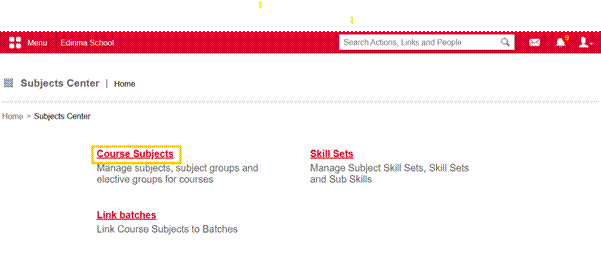
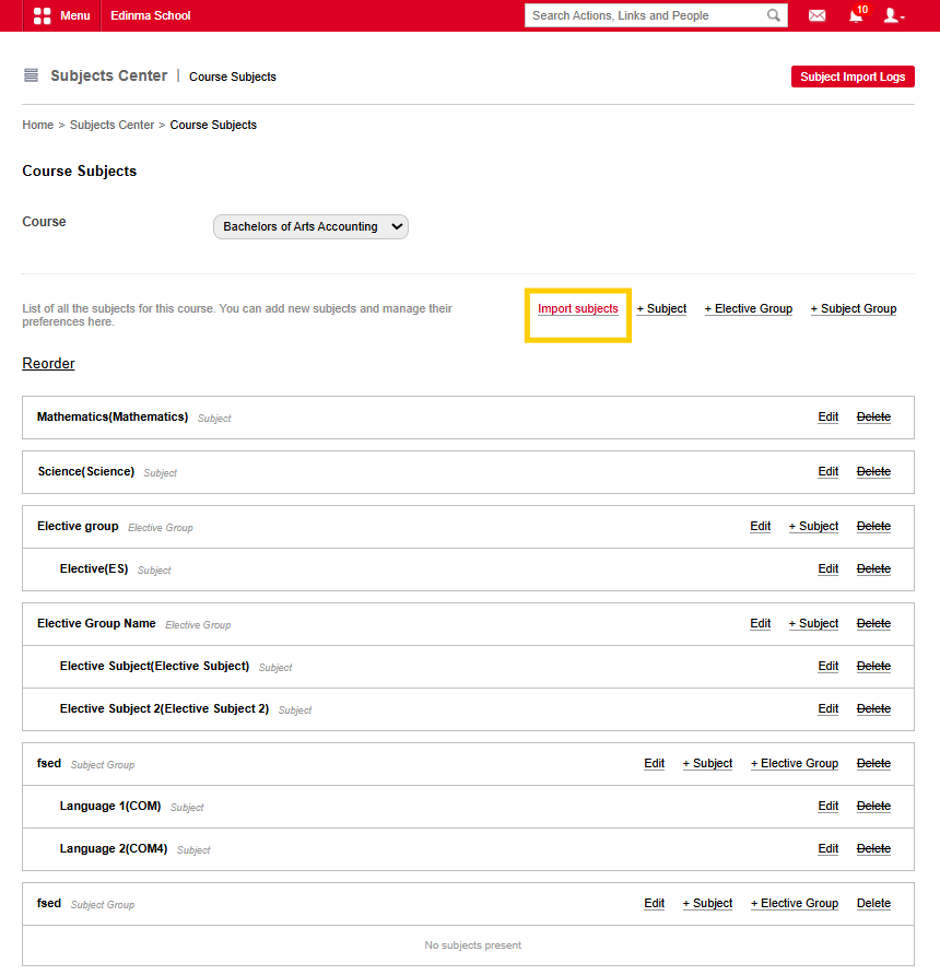
On the next page, select the course to which you want to import subjects and click Import Subjects, as shown in Figure 2.
 In the next step, select the course from which you want to import subjects into the current course, choose the required subjects, and click Import Subjects, as shown in the figure below.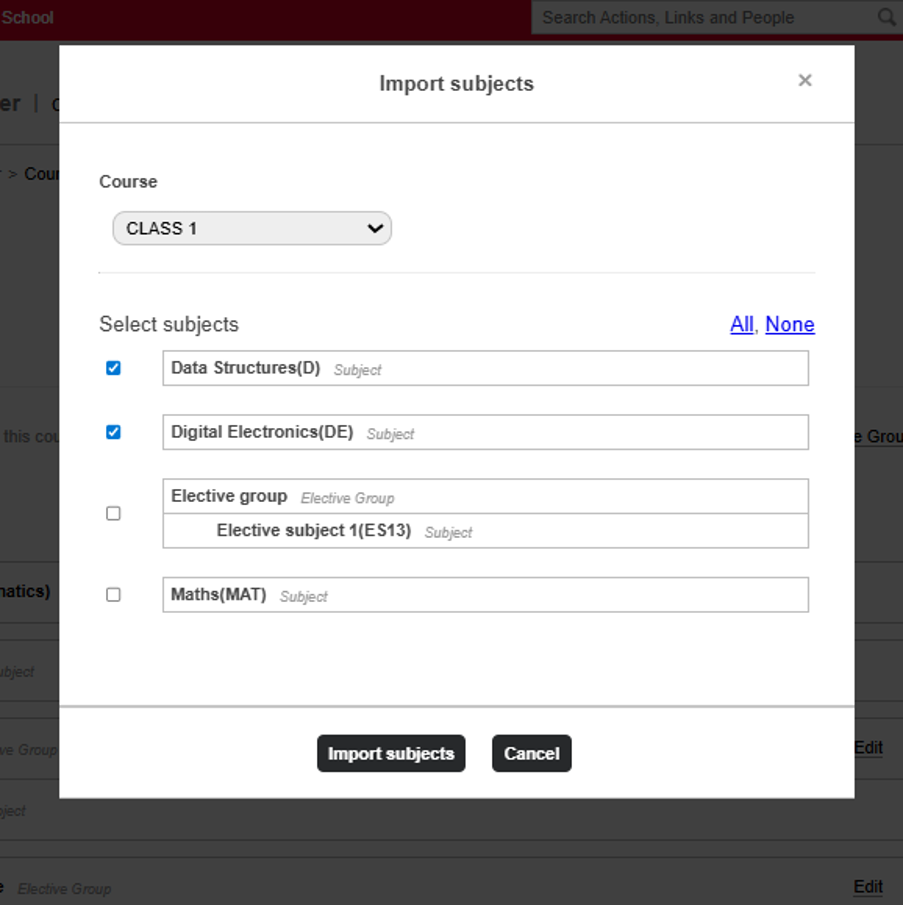
Was this article helpful?
That’s Great!
Thank you for your feedback
Sorry! We couldn't be helpful
Thank you for your feedback
Feedback sent
We appreciate your effort and will try to fix the article